

FAQ
How to Configure AccessToken in API Documentation
Open the
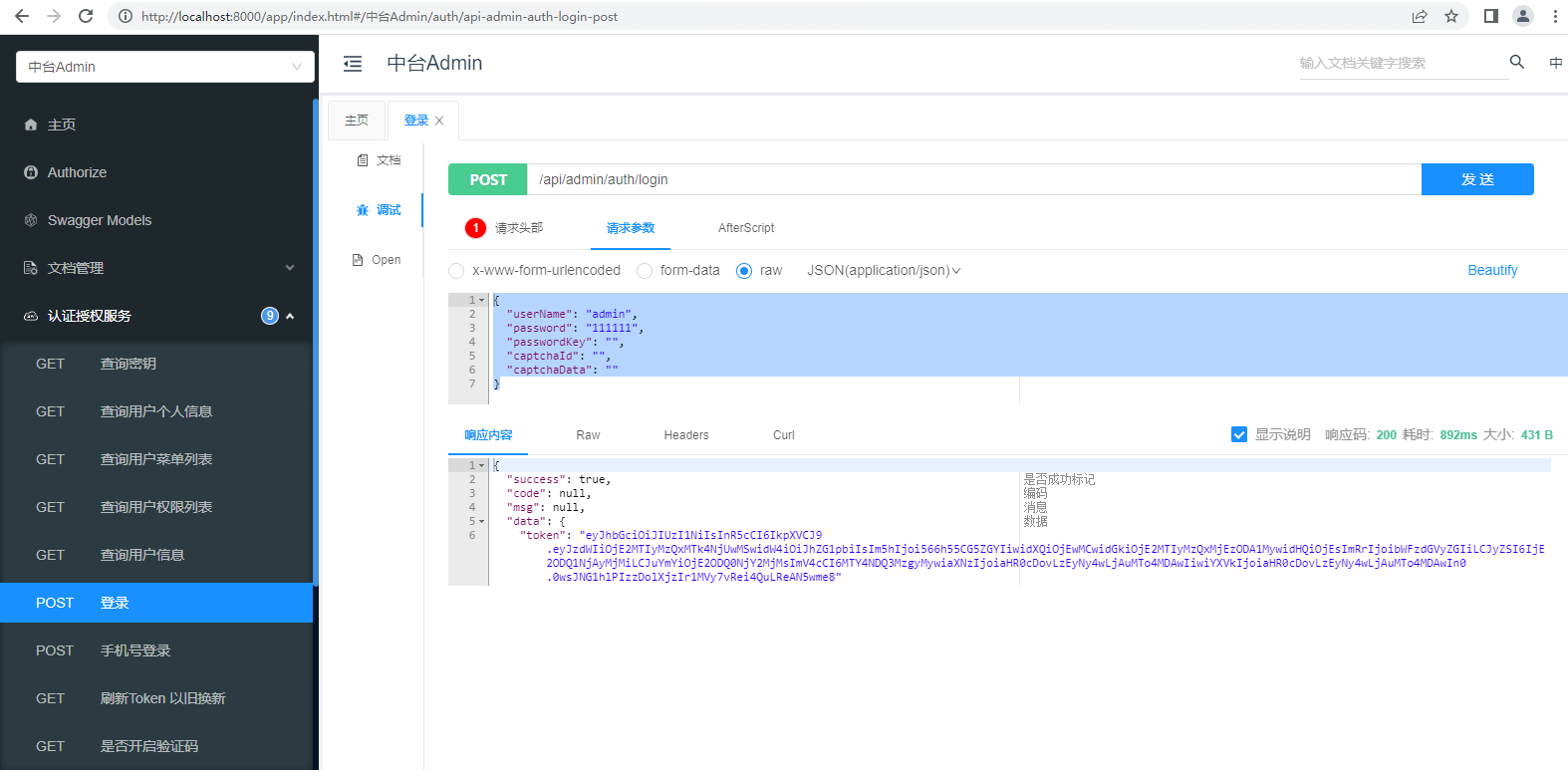
Configs/appconfig.jsonconfiguration file in your project, and setvarifyCode.enable: falseSelect Admin in the API documentation, open the Authentication Service - Login API, click Debug, enter username and password under the raw option to get the AccessToken
json
{
  "userName": "admin",
  "password": "123asd",
  "passwordKey": "",
  "captchaId": "",
  "captchaData": ""
}
- Open Documentation Management - Global Parameters, click Add Parameter
Parameter description
| Parameter | Description |
|---|---|
| Parameter Name | Authorization |
| Parameter Value | Bearer AccessToken, format: Bearer + space + AccessToken |
| Parameter Type | header |
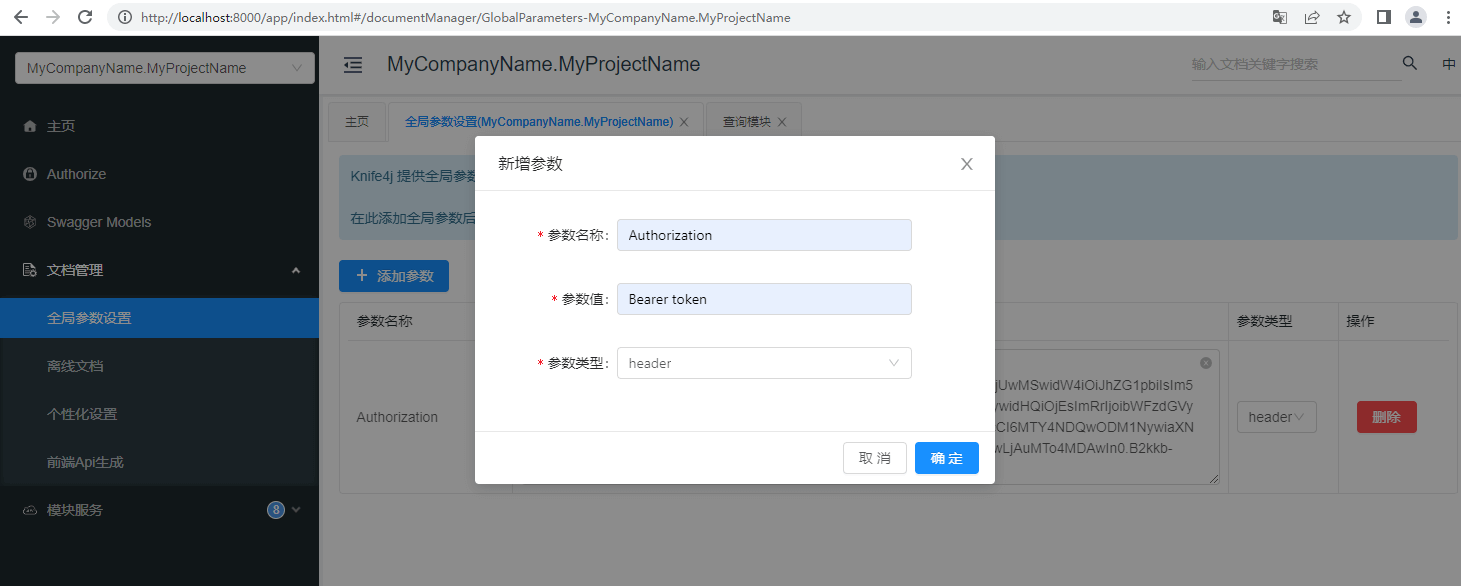
- Close all open API windows, re-access and test the API. If the configured parameters appear in the request header, the configuration is successful.
Publishing and Starting Shows "Missing FreeSql Database Implementation Package: FreeSql.Provider.MySql.dll"
Since Admin.Core source code only references multiple FreeSql database implementation packages in the Debug development environment, starting the API after publishing will show "Missing FreeSql database implementation package: FreeSql.Provider.MySql.dll"
You can click on the ZhonTai.Host project, cut the FreeSql.Provider.MySql package from the Debug development environment to the production environment, then republish the project
xml
<ItemGroup Condition="'$(Configuration)'=='Debug'">
  - <PackageReference Include="FreeSql.Provider.MySql" Version="3.2.825" />
</ItemGroup>

<ItemGroup>
  + <PackageReference Include="FreeSql.Provider.MySql" Version="3.2.825" />
</ItemGroup>
What is the Admin Account and Password?
Username: admin, Password: 123asd
The default password for new users can be configured in
appconfig.json.defaultPassword
Viewing Role Menu Permissions Shows "Internal Server Error"?
Check the error log at bin\Debug\logs\error.log, you will see information like Parameter '@cte_pid' must be defined.
Since the query uses a database recursive function, MySQL 5.x does not support this function. The solution is to upgrade to MySQL 8.0+ or switch to a different database for testing.
How to Disable or Enable Repository Filters
Disable the delete filter
using var _ = _yourRep.DataFilter.Disable(FilterNames.Delete);Enable only the delete filter
using var _ = _yourRep.DataFilter.DisableAll();
using var __ = _yourRep.DataFilter.Enable(FilterNames.Delete);
Disable the tenant filter
using var _ = _yourRep.DataFilter.Disable(FilterNames.Tenant);Disable all filters
using var _ = _yourRep.DataFilter.DisableAll();